
Access Point Install in Portland, OR & Vancouver, WA
Ceiling and wall access points mounted, wired, and configured — full coverage without repeaters.
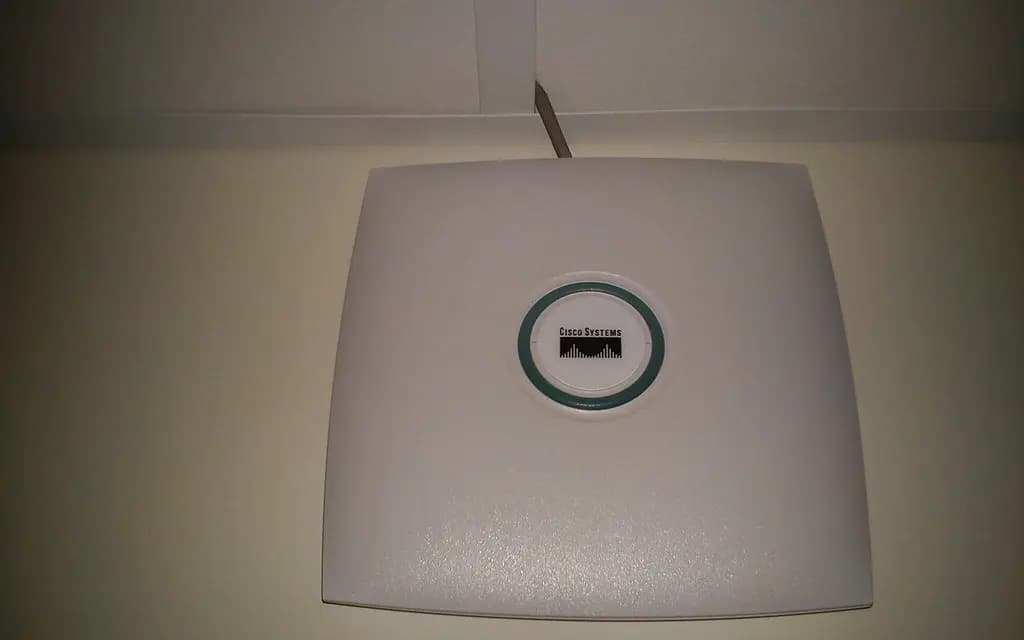
Wired access points installed where the coverage actually needs to be — ceiling or wall mounted, connected over PoE where possible, and configured for clean roaming so devices hand off without dropping.
What's Included
- Ceiling & wall AP mounting
- PoE-powered installs
- Placement planning
- Roaming configuration
- Mesh-to-wired upgrades
- Signal testing
What We Install & Repair
Wired access points, mounted where the coverage belongs — on a ceiling or high on a wall, fed by a Cat6 run, powered over that same cable with PoE. This is the step up from consumer mesh: instead of nodes relaying wirelessly through the very walls that cause the problem, each access point gets its own cable back to the network, full bandwidth, and a fixed position chosen on purpose. We do homes and small offices, plan the placement first, and configure roaming so your devices move between access points without dropping.
- Ceiling and wall mounting, on drywall, plaster or drop-ceiling tile
- Cat6 runs pulled to each access point location
- PoE power via injector or PoE switch — no outlet needed at the mount
- Placement planning based on the building, not the box art
- Roaming and single-network configuration across all access points
- Mesh-to-wired conversions using your existing nodes where possible
- Post-install signal walk to verify the coverage we promised
Common Problems We Solve
A mesh system relaying wirelessly through hostile walls
Wireless backhaul through lath-and-plaster loses half its throughput per hop — a common story in Portland's older neighborhoods. Many mesh nodes accept a wired connection; we pull cable to them and the same hardware suddenly performs like it should.
A detached garage, shop or ADU with no coverage
Backyard shops and ADUs are everywhere around here, and no router indoors will serve them well. A cable out to a dedicated access point in the outbuilding gives it real Wi-Fi instead of one desperate bar.
A chain of plug-in repeaters, each worse than the last
Daisy-chained repeaters multiply latency and drop devices at every handoff. One or two properly placed wired access points usually replace the whole chain, and everything gets faster the day the repeaters go in a drawer.
A small office that outgrew a router in the corner
Ten people, a couple of printers and a card reader will bury a home router. A ceiling-mounted access point or two, wired and centrally placed, carries that load without drama.
How It Works
Survey the building
We check construction, find where coverage is needed, and locate viable cable paths through attic, crawlspace or closets. The plan settles how many access points and exactly where, before anything is drilled.
Run the cable
Cat6 pulled from the router or switch to each mounting point, routed cleanly and out of sight wherever the structure allows, then terminated and tested for a full-speed link.
Mount and power
The access point goes up on ceiling or wall with the right anchors for the surface, powered over the data cable by PoE — one tidy wire, no electrician, no dangling adapter.
Configure and walk-test
All units joined under one network name, roaming tuned, channels set to stay out of each other's way — then a walk through every room with a meter to confirm the result matches the plan.
What's Not Included
- Line-voltage electrical work of any kind — PoE exists precisely so we rarely need an outlet, but where one truly is required, a licensed electrician installs it.
- Full business Wi-Fi projects — guest networks, network cabinet cleanup and multi-AP office buildouts belong to our business Wi-Fi service.
- Trenching or underground conduit to outbuildings — we install and terminate at both ends, but excavation is quoted separately or referred out.
- Provider-side internet faults — an access point extends your network; it cannot repair a bad line, which is the ISP's job.
What Affects the Price
- Access point count
- Each unit means a mount, a cable run and configuration time; the survey settles the honest minimum for your building.
- Cable path difficulty
- An attic drop to a hallway ceiling is quick; fishing through insulated walls or old plaster over full-dimension framing is the slow, careful version of the same job.
- Existing wiring
- A building that already has Ethernet near the mounting points cuts the work dramatically compared with runs pulled from scratch.
- Mounting surface
- Drop-ceiling tile and drywall are fast; plaster, masonry or vaulted ceilings need more anchoring work and sometimes a lift.
Frequently Asked Questions
What is the difference between an access point and mesh?
A mesh kit's nodes talk to each other over the air, which is convenient but spends bandwidth on the relay and suffers in signal-hostile buildings. An access point is wired, so every unit delivers full speed regardless of what the walls are made of. Mesh is fine hardware; wired backhaul is what makes it excellent.
Does an access point need a power outlet in the ceiling?
No — that is the point of PoE. Power rides the same Cat6 cable that carries data, supplied by an injector or PoE switch back at the network end. The ceiling gets one low-voltage cable and nothing else, which also keeps the install out of electrician territory.
Will my devices switch access points automatically as I move around?
Yes, when roaming is configured properly — same network name on every unit, sensible channel separation, and transmit power tuned so devices release a distant access point instead of clinging to it. That tuning is part of our install, and we verify it by walking the building.
Can my existing mesh nodes be converted to wired backhaul?
Most current mesh systems accept an Ethernet connection and switch to wired backhaul automatically. If yours does, we pull the cable and you keep your hardware; if it does not, we say so before any work starts rather than after the holes are drilled.
Areas We Cover
Free estimate
Request a Free Access Point Installation Estimate
Tell us what you need and we'll get back to you with a quote. Photos welcome.