
Home Wi-Fi & Network Setup in Portland & Vancouver WA
New router and mesh Wi-Fi installed and configured — whole-home coverage planned, Ethernet where it matters, and a clean first-time setup.
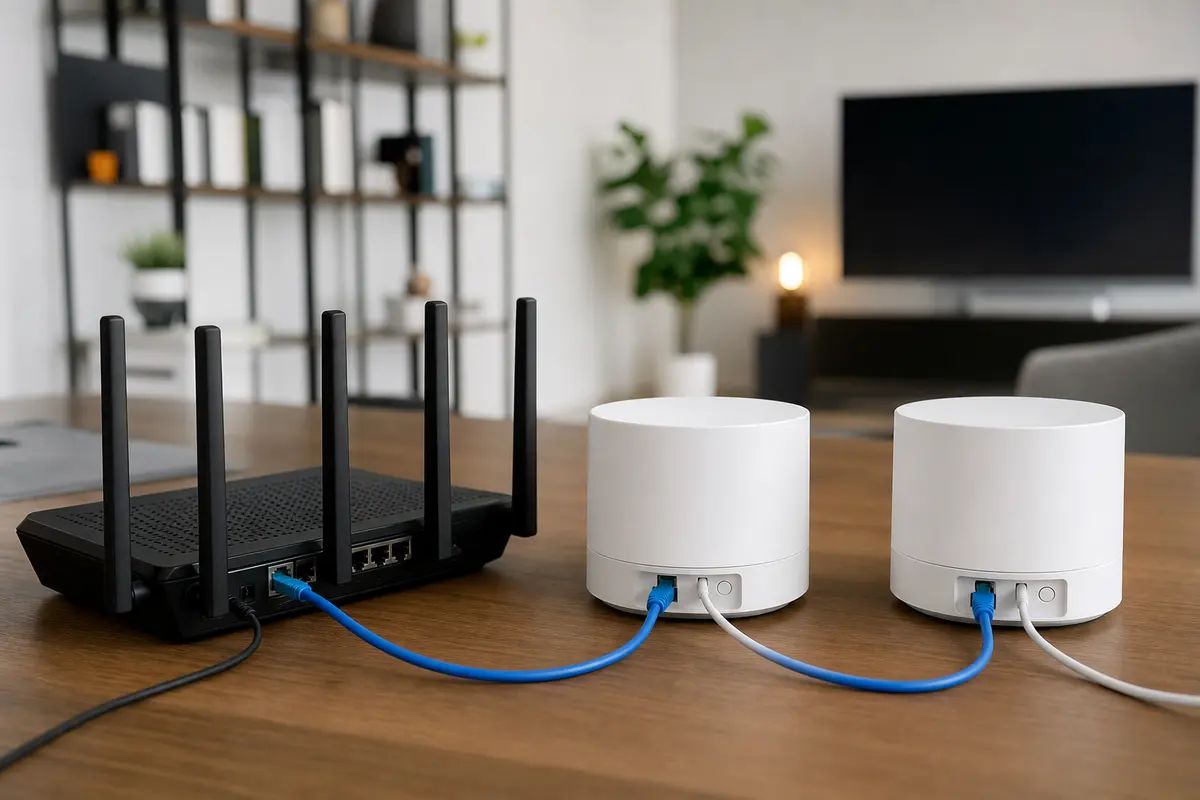
A new network set up right the first time — router or mesh placement planned around your floor plan, Ethernet run to the rooms that need it, secure settings and device onboarding handled, and every cable left tidy.
What's Included
- Router & mesh Wi-Fi setup
- Whole-home coverage planning
- Ethernet runs where needed
- Tidy cable management
- Home office network setup
- Smart device connectivity
What We Install & Repair
A new home network stood up properly the first time. We plan router or mesh placement around your actual floor plan, put the ISP's box into the right mode so it stops fighting your own gear, secure the settings, get every phone, TV, printer and smart plug onto the new network, and leave the cabling tidy instead of a nest behind the couch.
- Router and mesh system installation and configuration
- Placement planned from your floor plan, not guesswork
- ISP modem or gateway set to bridge mode where appropriate
- Secure setup: new admin password, current encryption, guest network
- Onboarding of phones, TVs, printers and smart devices
- Ethernet drops to the rooms that need wired speed
- Cable management at the modem and along every run
Common Problems We Solve
A mesh kit still in the box
You bought the hardware; the setup instructions assume a house shaped like a diagram. We place the nodes for your walls and floors, wire the ones that should be wired, and finish the configuration the app glosses over.
Your own router behind the ISP's gateway
Two boxes both trying to run the network creates double NAT from day one. We put the ISP gateway into bridge mode so your new router is actually in charge.
The network still on factory defaults
A default name, a password printed on a sticker, and admin credentials the whole internet knows. We rename the network, set strong Wi-Fi and admin passwords, enable current encryption, and hand you everything written down.
A home office that cannot afford to gamble on wireless
For video calls and big file transfers, a wired drop beats any Wi-Fi. We run Ethernet to the desk, terminate a proper wall jack, and confirm full speed at the port.
Smart devices that refuse to join during setup
Most cheap smart gear only speaks 2.4 GHz and gets confused when both bands share one name. We configure the network so those devices enroll cleanly, then onboard each one before we leave.
How It Works
Walk the house and plan
We look at the floor plan, the construction, and where you actually use the internet, then decide together: single router, mesh, and which rooms earn a wired drop.
Install and configure
Hardware mounted or placed, ISP equipment set to the right mode, network named and secured, firmware updated, and any Ethernet runs pulled and terminated.
Onboard every device
Phones, laptops, TVs, printers, thermostats, cameras — each one moved onto the new network and confirmed working before we call it done.
Tidy up and hand off
Cables dressed and labeled, passwords documented on paper, and a plain-language tour of the app so you can add a device or guest yourself.
What's Not Included
- Diagnosing an existing network that misbehaves — slow speeds, drops and dead zones on gear already in place are a different job; that is our network troubleshooting service.
- Offices, storefronts and other commercial spaces — business networks have different requirements, and our business Wi-Fi service handles them.
- New power outlets or any line-voltage electrical work — a licensed electrician's territory. Our cabling is low-voltage only.
- ISP account, billing, or service-line problems — plan changes and faults on the provider's side of the demarcation point go to the ISP.
What Affects the Price
- Home size and layout
- Square footage and floors determine whether one router covers it or a multi-node mesh is the honest recommendation.
- Ethernet drops
- Each wired run adds time, and the route matters more than the distance — an open basement ceiling is quick, a finished two-story wall is not.
- Device count
- Onboarding a household of five phones, three TVs and a swarm of smart plugs takes real time compared with a laptop and a printer.
- Your hardware or ours to recommend
- Setting up gear you already own is the base case; hardware we source and supply is quoted separately from labor.
Frequently Asked Questions
Do I need a mesh system or is one router enough?
Depends on the building more than the square footage. A newer drywall single-story is often fine on one well-placed router; the older Portland housing stock, with lath-and-plaster walls and brick chimneys through the middle of the house, usually justifies mesh or a wired node. We tell you which during the walk-through.
Should I keep the ISP's router or use my own?
Your own, in most cases — better hardware, no monthly rental, and settings you control. The ISP's box then runs in bridge mode as a plain modem. A few providers make bridging awkward; in those cases we configure the two boxes to cooperate.
Where is the right place for the router?
Central, elevated, and in the open — not in a cabinet, not next to the furnace, not where the coax happens to enter the house. If the entry point is a bad location, we would rather run one cable to a better spot than accept weak coverage from day one.
Will my older devices work on a newly secured network?
Almost always. We set encryption in a compatibility mode that current phones and decade-old printers both accept, and test every device before we leave. Anything so old it only speaks obsolete security gets flagged.
Can you set up the network before we move in?
Yes, and an empty house is the best time — placement testing is easier and cable runs are simpler without furniture. You just need the ISP service activated first, since we cannot configure a line that is not live.
Areas We Cover
Request a Free Home Wi-Fi & Network Setup Estimate
Tell us what you need and we'll get back to you with a quote. Photos welcome.