
Smart Home Installation in Portland & Vancouver WA
Smart home device setup, pairing, app configuration, and automation — including smart locks, thermostats, and switches.
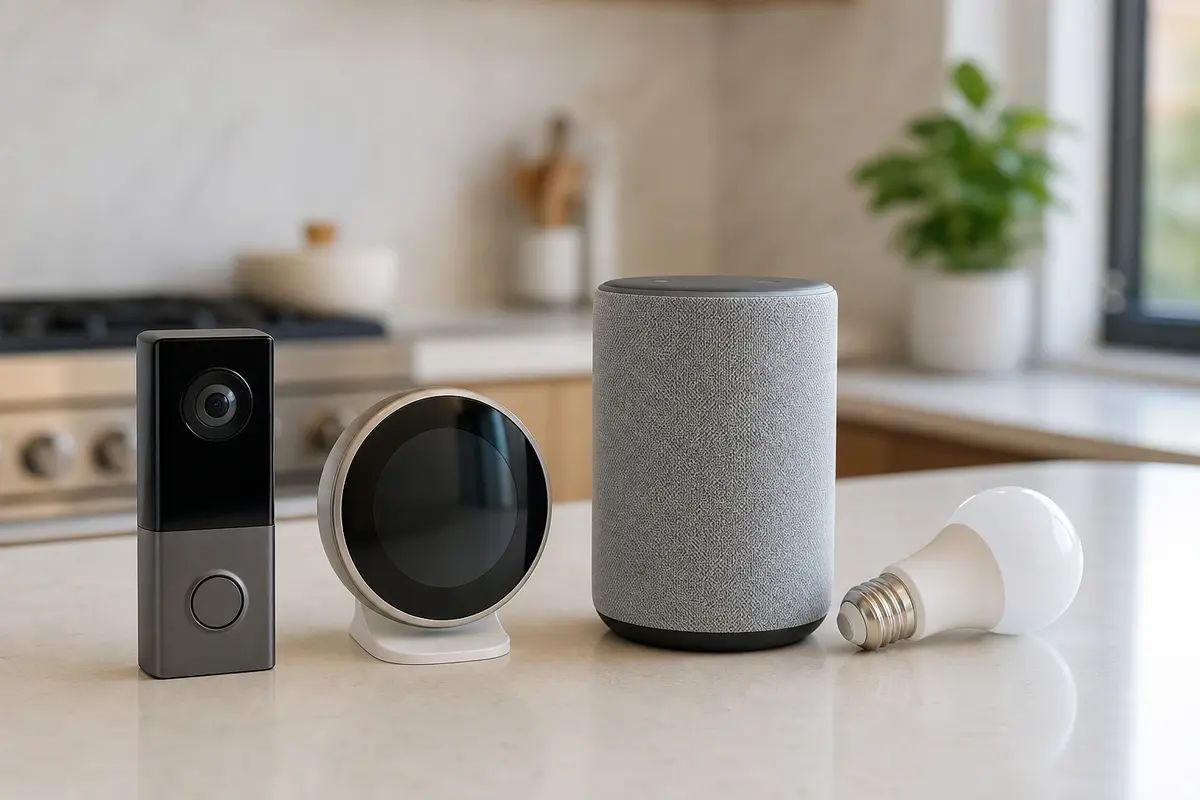
Smart locks, thermostats, switches, lighting, doorbells, and voice assistants set up, paired, and configured in the apps you already use — with automation and troubleshooting when devices won't connect.
What's Included
- Smart lock & thermostat setup
- App & automation configuration
- Smart lighting & switches
- Smart doorbell setup
- Alexa / Google Home setup
- Device pairing & troubleshooting
What We Install & Repair
Smart thermostats, doorbells, locks, plugs, lighting, and the hubs that tie them together — installed, paired, and genuinely automated, so the house runs from one app instead of five. We check compatibility before anything gets bought — the wrong device for your wiring is how these projects stall. The electrical boundary is firm: low-voltage, plug-in, and simple like-for-like swaps where the wiring already supports the device; new circuits, hardwired fixtures, and anything needing new line-voltage wiring go to a licensed electrician.
- Smart thermostat swaps on compatible existing wiring
- Video doorbell installation and indoor chime setup
- Smart lock installation and app pairing
- Smart plugs, bulbs, sensors, and hub configuration
- Alexa, Google Home, and Apple Home setup
- Automations, routines, and device troubleshooting
Common Problems We Solve
The thermostat you want needs a C-wire your wall does not have.
Common in older Portland houses. Most brands make a power-extender kit that solves it with the wires already in the wall — within our scope. Pulling new wire to the furnace or working inside it goes to an HVAC tech or electrician, and we say so on the spot.
Devices keep falling off Wi-Fi and showing offline.
Almost every small smart device speaks only 2.4 GHz, and a congested or badly placed network starves them. We fix the network side — band settings, placement, sometimes a wired access point — because a smart home is only as reliable as the Wi-Fi under it.
Five apps, and none of the devices talk to each other.
We consolidate onto one ecosystem — Alexa, Google, or Apple — and bridge what we can through a hub or Matter. Devices that cannot join get flagged honestly; sometimes the right answer is returning a gadget.
You bought smart switches and the box has no neutral wire.
Pre-war switch boxes often lack the neutral most smart switches require. Where the wiring supports it, a like-for-like swap is straightforward; where it does not, the options are no-neutral models, smart bulbs behind the dumb switch, or an electrician adding the wire — we lay out the trade-offs before you commit.
The video doorbell dies every few weeks or never rings inside.
Battery doorbells drain fast through a cold, wet winter here; existing doorbell wiring fixes that, and connecting to it is low-voltage work we handle. A dead or undersized transformer is the exception — replacing one is electrician territory.
How It Works
Compatibility check first
Before hardware is unboxed — ideally before it is bought — we check thermostat and doorbell wiring, switch boxes, door types, and how far the Wi-Fi really reaches. Ten minutes here prevents a drawer of returns.
Install and pair
Each device mounted or fitted, powered, joined to the network, and added to the app — with firmware updated, because half of out-of-the-box misbehavior is stale firmware.
Automate
Everything gathered into one app, with routines that earn their keep — heat scheduled around your day, lights on a dusk trigger, the lock and thermostat reacting when the last person leaves.
Walkthrough and handoff
You drive every device yourself before we go — from the app and by voice — and household members get added with their own access. We leave notes on what was configured and why.
What's Not Included
- New circuits, hardwired light fixtures, or any work in the panel or a junction box — that is a licensed electrician's job, full stop.
- Rekeying or opening a locked door — we install and pair smart locks; keys and entry are a locksmith's trade.
- Alarm-company monitoring contracts — we set up self-monitored devices; central-station monitoring comes from the alarm provider.
- Furnace and heat-pump repairs — if a thermostat swap uncovers an HVAC fault, we stop and refer it rather than guess.
What Affects the Price
- Device count
- Each device adds installation, pairing, and testing time, and the automation step grows with the count.
- Ecosystem cleanup
- Starting fresh is quick; untangling a mix of half-configured accounts, duplicate device names, and abandoned hubs takes real time.
- Wiring situation
- A compatible thermostat wire bundle or working doorbell circuit makes those installs fast; power-extender kits and workaround options add steps.
- Network readiness
- If the Wi-Fi cannot reliably reach the devices, fixing that comes first, and it can be the larger half of the visit.
Frequently Asked Questions
Alexa, Google Home, or Apple Home — which should I build on?
Whichever matches the phones in the house. iPhone households get the smoothest ride from Apple Home; mixed and Android households usually land on Google or Alexa. Matter is making the choice less permanent, but picking one ecosystem still beats collecting orphans.
Will a smart thermostat work with my heating system?
Most gas furnaces and heat pumps, yes — but heat pumps, which are everywhere in the Northwest, need a thermostat that properly supports auxiliary heat. We check the wire bundle and system type before you buy, not after.
Do smart devices still work when the internet goes out?
Depends on the device. Hub-based and Matter/Thread setups keep local control — switches, sensors, and automations keep running. Cloud-only Wi-Fi gadgets go dumb until the connection returns. If that matters to you, we pick hardware with local control from the start.
Can you install devices I already bought?
Yes — bring-your-own hardware is the normal case. We check each item against your wiring, network, and chosen ecosystem first; anything that will not work in this house gets flagged before the box is opened, so it can go back.
Areas We Cover
Request a Free Smart Home Installation Estimate
Tell us what you need and we'll get back to you with a quote. Photos welcome.