
Home Setup
Starlink, Smart Home & Security Cameras in Portland, OR & Vancouver, WA
Starlink mounted and aimed, Wi-Fi that reaches every room, and smart locks, thermostats, and Wi-Fi cameras set up and working on your phone before we leave.
What's Included in Starlink Installation
One visit covers the connected side of your house. We handle Starlink installation across Portland, OR and Vancouver, WA — dish mounted and aimed, cable routed inside through a sealed entry, and the router and mesh set up so Wi-Fi reaches every room. In the same trip we can install smart locks, thermostats, Wi-Fi security cameras, and a battery video doorbell — each one paired to your phone and tested before we leave.
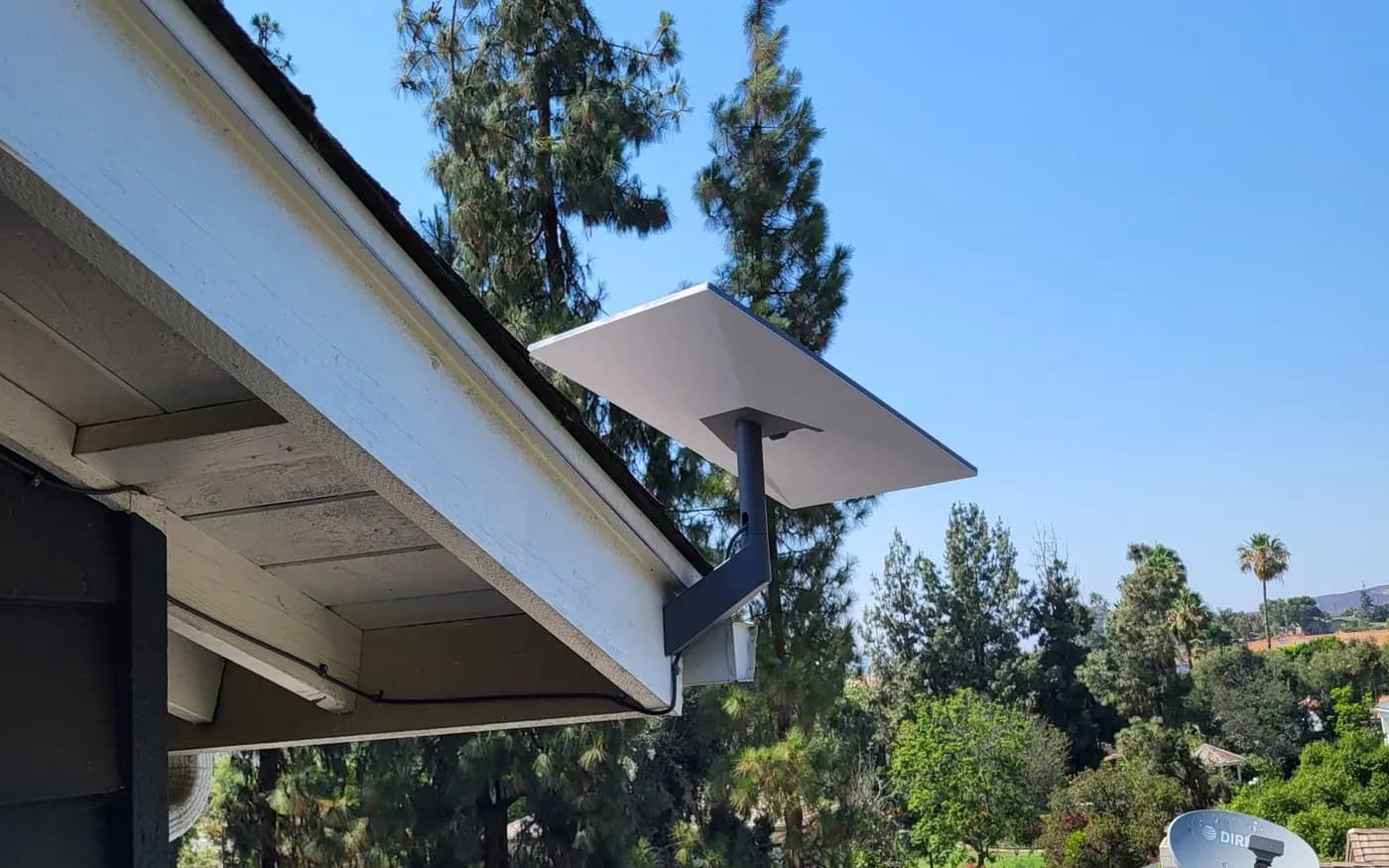
- Starlink dish mounting and aiming on a roof J-mount, eave mount, or ground pole, with an obstruction check in the Starlink app before we drill
- Cable routing and a sealed wall entry — flashing, grommet, drip loop, and exterior-grade sealant made for Pacific Northwest rain
- Router placement and mesh Wi-Fi setup with eero, TP-Link Deco, or Google Nest Wifi, sized to your floor plan
- Smart locks from Schlage, Yale, August, and Kwikset installed on your existing deadbolt door prep and paired to your app
- Smart thermostats, plugs, and sensors — Nest and ecobee among them — installed, joined to your network, and grouped by room
- Wi-Fi and battery security cameras from Ring, Blink, Arlo, and Eufy mounted, angle-checked on your phone, and set with motion zones
- Battery video doorbells installed at the front door with app setup, chime pairing, and a live doorbell test
Common Problems We Solve
A cable pushed through a bare hole in the siding lets Portland rain follow it inside.
We drill once, in the right place. The entry gets a grommet, a drip loop, and exterior-grade sealant, and roof mounts get flashing under the feet, so the hole stays dry for the life of the install.
Trees block the Starlink dish's view of the sky, and speeds drop every time the connection hits a fir branch.
We run the Starlink obstruction scan from several spots — roof peak, gable end, a pole out in the clear — and mount where the app shows open sky, not just where the ladder happens to reach.
Wi-Fi is strong by the router and useless upstairs or in the back bedroom of a two-story house.
One router rarely covers two floors. We place mesh nodes per floor, keep them away from the far corners of the house, and run a speed test in each room before calling it done.
Rural addresses around Clark County have no cable service at all, and cell hotspots crawl.
Starlink works as primary internet out here. We mount for the clearest sky view, center the router in the house, and add mesh nodes if a shop or outbuilding needs coverage too.
How It Works
Confirm the plan
Before any tools come out, we walk the job with you: what is being installed, where you use the internet most, which doors and rooms get devices, and which apps you already run. You approve the plan before we start.
Find the mounting spot
For Starlink we run the app's obstruction check at the candidate spots — roof, eave, or pole — and pick the one with the clearest view of the sky. For cameras and the doorbell we confirm sight lines and Wi-Fi signal at each mounting point.
Install and route
We mount the dish, route the cable along a clean path, and bring it inside through a sealed entry. Then we mount the cameras and doorbell, install the locks and thermostat, and place the router and mesh nodes where the plan calls for them.
Pair, test, and clean up
Every device gets paired to your phone while we are still on site. We run speed tests room by room, check each camera view and lock from your app, walk you through the settings, and haul away the packaging.
Typical Projects & Pricing
Labor pricing. Materials are itemized in your estimate. Estimates are not final contracts.
What's Not Included
- Hardwired camera runs, PoE cabling, and doorbell transformer wiring — low-voltage electrical work, referred to a licensed low-voltage contractor
- New outlets or power at the dish or router location — referred to a licensed electrician
- Tile, slate, and metal standing-seam roof penetrations — quoted case by case
What Affects the Price
- Roof type and mount location
- A J-mount on composition shingles is the baseline. Eave mounts often cost less; ground poles add digging and setting the post.
- Cable run length
- A short drop from the dish to the nearest interior wall costs less than a long route around the house to a back office or basement.
- Device count
- Each extra camera, lock, plug, or sensor adds mounting and pairing time. A four-camera-plus-doorbell setup is a typical full install.
- Mesh size
- Square footage, number of floors, and an ADU or detached shop decide how many mesh nodes you need. Three nodes covers most two-story homes.
- Roof pitch and height
- Steep pitches and second-story roof work mean bigger ladders and slower, more careful time on the roof. Single-story eave mounts sit at the low end of the range.
Starlink Installation — Frequently Asked Questions
Where does the Starlink dish go, and do you drill through the roof?
Most dishes go on a roof J-mount near the peak, where the sky view is widest. If the app shows a clean scan from an eave or a ground pole, we skip the roof entirely. When we do drill, mount feet get flashing and sealant, and the cable enters through one sealed wall penetration — never a bare hole.
Can you fix Wi-Fi dead zones in a two-story house or an ADU?
Yes. We set up a mesh system — eero, TP-Link Deco, or Google Nest Wifi — with a node on each floor, placed where the signal actually needs help. For an ADU or detached office we position a node to bridge the gap, then speed-test every room, including the ADU, before we leave.
Do you install wired or PoE security cameras?
No. Hardwired camera runs and PoE cabling are referred to a licensed low-voltage contractor. We install Wi-Fi and battery camera systems — Ring, Blink, Arlo, Eufy — which mount anywhere with signal and cover most homes without cable runs. If you already own cameras, we can still handle mounting spots, app setup, and motion zones.
Which smart locks and thermostats do you install?
For locks: Schlage Encode, Yale Assure, August, and Kwikset Halo are the ones we see most, and they fit standard deadbolt door prep. For thermostats: Nest and ecobee are the common picks. Bring your own device or ask us which model suits your door and heating system — we install it, pair it, and test it from your phone.
Can you connect a video doorbell to my existing doorbell wiring?
No — we install battery models only. Connections to existing doorbell wiring and transformers are referred to a licensed low-voltage contractor. Battery doorbells from Ring, Eufy, and Blink mount beside any front door with no connection to the house, and we set up the app, motion zones, and indoor chime before we go.
Do you come out to Battle Ground, Ridgefield, and rural Clark County?
Yes. Rural Clark County is core Starlink territory for us — Battle Ground, Ridgefield, Brush Prairie, La Center, Amboy, and Yacolt all sit where cable service thins out and open sky is easy to find. Larger properties often add a pole mount in a clearing plus mesh nodes for a shop or barn.
What does a Starlink installation cost, and what is included?
Labor for a typical roof mount with router setup runs $249–349 in Portland and Vancouver. Adding a 3-node mesh brings the visit to $449–599. That covers mounting, a sealed cable entry, aiming, and room-by-room speed tests. Starlink's hardware kit and monthly service are billed by Starlink separately. Eave mounts often land at the low end; steep or second-story roofs at the high end.
Does Starlink work well in Portland's rainy climate?
Yes. Ordinary Pacific Northwest rain and cloud cover barely register; speeds can dip during a heavy downpour, then recover on their own. The bigger local factor is trees — a dish aimed through fir branches drops connection year-round. That is why we run the obstruction scan before mounting and seal the cable entry against months of steady rain.
Areas We Cover
Free estimate
Request a Free Starlink, Smart Home & Security Cameras Estimate
Tell us what you need and we'll get back to you with a quote. Photos welcome.